
Contents
Testing live data when your league is in its off-season
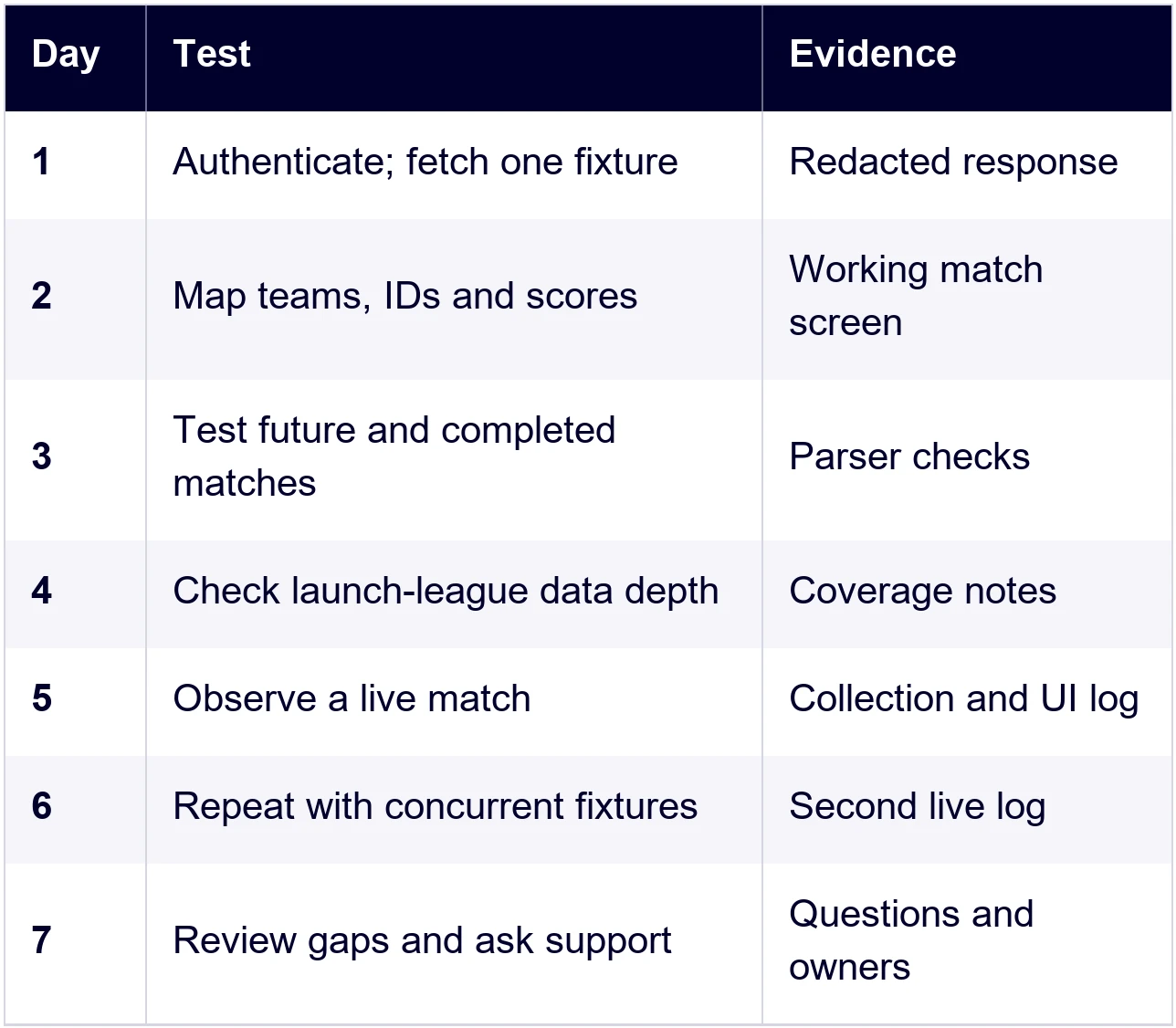
Separate the checks you can complete now from the ones that require a live match. Historical fixtures let you test IDs, response parsing, event presentation, completed scores, statistics storage and navigation. They cannot demonstrate current event delivery during a busy match window.
Fetch recent completed fixtures from the target competition using the date-range endpoint. Follow all pages before choosing your sample. Keep a spread of match states and data depth rather than selecting only the richest response you find.
For the live collection path, choose a competition currently playing that is included in your API plan. Check its calendar before activating a trial. Our free-plan page lists the Danish Superliga and Scottish Premiership, but neither the plan name nor a league listing guarantees a match during your testing window.
A substitute competition can validate polling, caching and frontend delivery. It cannot prove that your target competition supplies the same player statistics, commentary or specialist metrics. Keep those target-league requirements marked not tested until you have direct evidence.
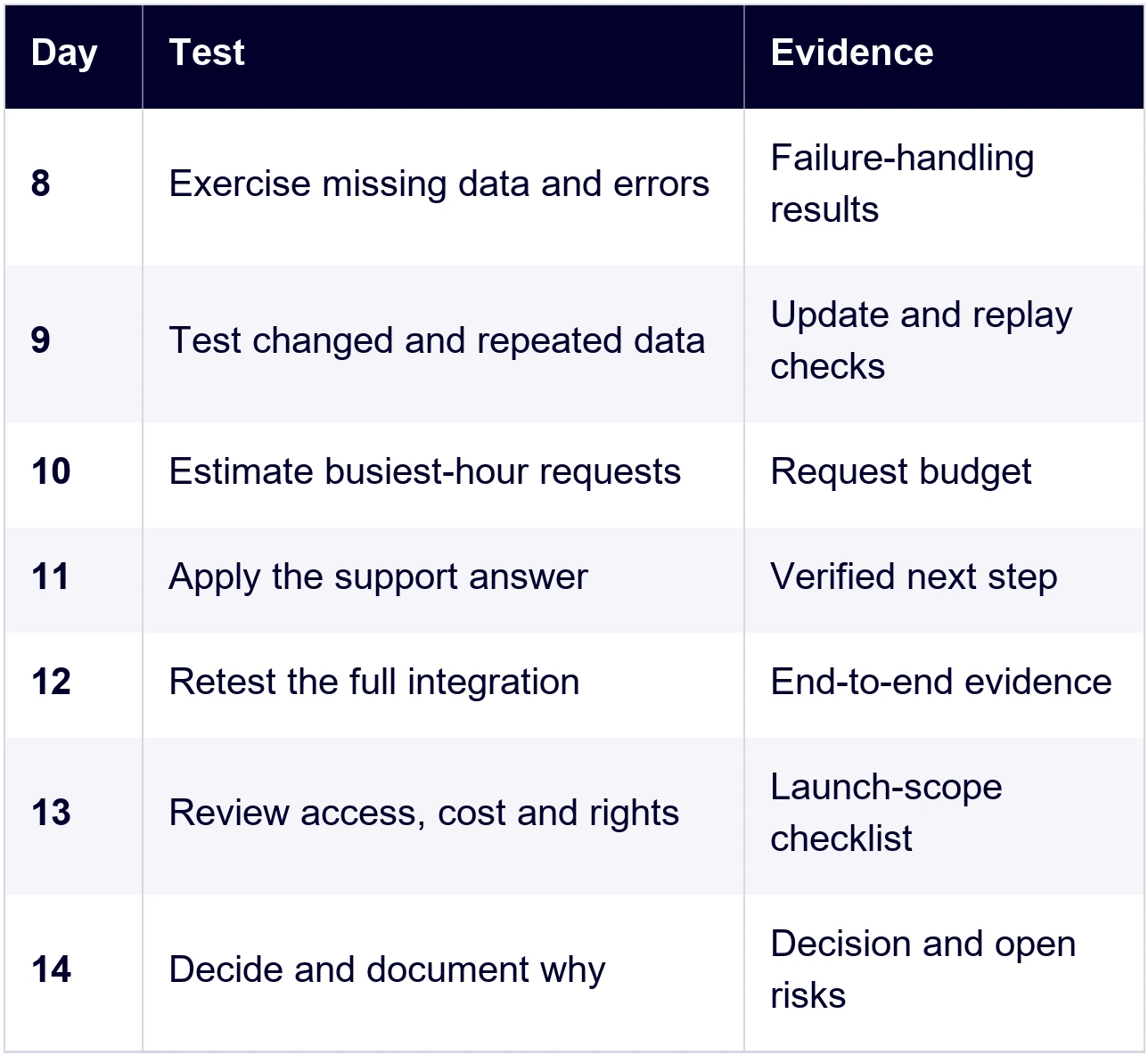
Local replay is useful for another reason: you can reproduce a sequence whenever a developer changes the parser. Replay saved, redacted responses in their observed order and test failure cases separately. Keep replay results distinct from observations made against a live service.
If your testing window is too short, tell us which competition, feature or fixture window you still need to cover through our support team. Ask what options are available and confirm any arrangement before the date shown in your account.
Testing the support, not just the API
Ask one genuine question from the integration. For example: “This fixture has team statistics but no player detail for the field our screen needs. Is it available for this competition, and when should we request it?” That is more useful than asking whether support is responsive.
Follow our support checklist: send the fixture ID, a request URL with the token removed, the HTTP status, the response and what you expected. Include the observation time and the relevant field. Remove credentials and private account or subscription details from examples shared beyond the support conversation.
Assess the answer as well as the first reply. Did it identify the cause, explain any limitation and give you a next step that worked? Distinguish an initial acknowledgement from a resolved issue, and record whether your team could continue building afterwards.
Keep questions within a real evaluation. You do not need to manufacture an incident or flood the inbox to test the relationship. One well-described integration issue and a clear follow-up can reveal whether your developers can work effectively with the people behind the API.
FAQ